Developers · Android SDK
Android push notification SDK
A Kotlin library on top of Firebase Messaging. It registers each installation with your account, renders Oricato notifications, reports deliveries, opens and conversions, and creates your notification channels from the dashboard.
com.oricato:push 1.0.1minSdk 21compileSdk 36Kotlin 2.2, usable from Kotlin 1.9+ and Java 11+
Last updated · Ask the docs, or a person
Lingora ahora
Tu lección de hoy está lista
Cinco minutos y mantienes tu racha de 12 días.
receiptsAndroid
- pushfx_id 0192f0c4… · fx_v 108:00:00
- shownchannel lessons · big picture08:00:01
- deliveredsampled device · once08:00:03
- openedtap · launch_url lingora://lesson08:00:41
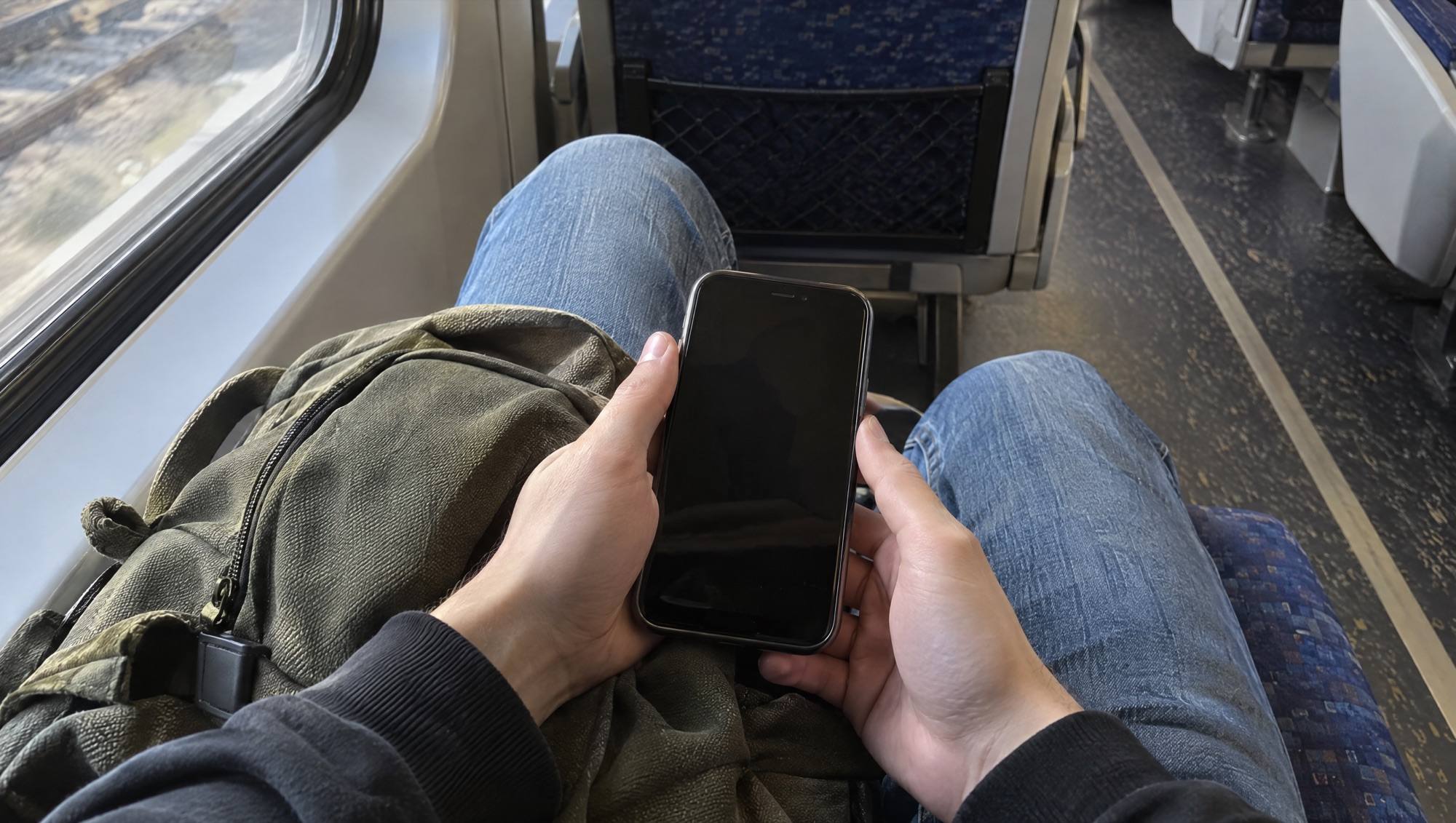
A photo of a phone in someone's hands; on its screen, a sample notification from Lingora in the language es. Beside it, the receipts the SDK reports for that push: shown, delivered from a sampled device, and opened on tap.
01
Requirements
- minSdk 21 or higher.
- Firebase Messaging 24.0.0 or newer. The SDK depends on
firebase-messaging,androidx.core,androidx.workandandroidx.lifecycle:lifecycle-process, and nothing else. - Firebase BoM 34 and later (firebase-messaging 25.x) needs minSdk 23 in your app. Apps on minSdk 21 or 22 stay on BoM 33.x. The SDK works with both.
- Your app added to its Firebase project, with
google-services.jsonin the app module.
02
Install
During early access the SDK comes in the kit we hand over with your account, as a local Maven repository. Copy it into your project, for example as oricato-maven/, and declare it.
dependencyResolutionManagement {
    repositories {
        google()
        mavenCentral()
        maven { url = uri("oricato-maven") }
    }
}plugins {
id("com.android.application")
id("com.google.gms.google-services")
}
dependencies {
implementation(platform("com.google.firebase:firebase-bom:33.16.0")) // 34.x needs minSdk 23
implementation("com.google.firebase:firebase-messaging")
implementation("com.oricato:push:1.0.1")
}Prefer source? The kit also includes the SDK as a Gradle module you can include(":oricato").
03
Initialize
Call initialize in Application.onCreate, on every start. It is idempotent and cheap. Your Project ID and API address are on the project's settings page.
class App : Application() {
    override fun onCreate() {
        super.onCreate()
        Oricato.initialize(
            this,
            projectId = "<ORICATO_PROJECT_ID>",
            apiBaseUrl = "<ORICATO_API_ADDRESS>",
            defaultSmallIcon = R.drawable.ic_stat_notification, // optional, white on transparent
        )
    }
}
Java: Oricato.initialize(this, "<ORICATO_PROJECT_ID>", "<ORICATO_API_ADDRESS>", R.drawable.ic_stat_notification);
04
Receive pushes
Only one service in your app can receive Firebase messages. Use ours, or keep yours and hand Oricato's pushes to the SDK.
No messaging service of your own (most apps)
<service
    android:name="com.oricato.push.OricatoMessagingService"
    android:exported="false">
    <intent-filter>
        <action android:name="com.google.firebase.MESSAGING_EVENT" />
    </intent-filter>
</service>
To handle other pushes as well, subclass OricatoMessagingService, override onNonOricatoMessageReceived, and declare your subclass instead.
You already have a FirebaseMessagingService
class MyMessagingService : FirebaseMessagingService() {
    override fun onMessageReceived(message: RemoteMessage) {
        if (Oricato.handleRemoteMessage(this, message)) return // an Oricato push, handled
        // your own pushes
    }

    override fun onNewToken(token: String) {
        Oricato.onNewToken(this, token)
        // your own token handling
    }
}
Both entry points work when Android started your process only for the push. Using the firebase-messaging 25.1 registration API? Call Oricato.onNewToken from onRegistered too.
05
Notification icon and resources
Status-bar icons must be white on a transparent background. Pass a default with defaultSmallIcon; a message can name another ic_stat_* drawable in the composer. Channel sounds live in res/raw/. Because the server refers to these by name, tell resource shrinking to keep them.
<?xml version="1.0" encoding="utf-8"?>
<resources xmlns:tools="http://schemas.android.com/tools"
    tools:keep="@drawable/ic_stat_*,@raw/*" />
Android fixes a channel's sound when the channel is created. A channel whose sound file is missing is not created, and the SDK logs why.
06
Notification permission on Android 13 and later
Ask when the person can see why. The SDK reports the permission on every foreground and checks again whenever an activity resumes, so a grant from any prompt, ours, yours or OneSignal's, reaches the server as soon as the dialog closes.
Oricato.requestPermission(activity) { granted -> /* update your UI */ }
val status = Oricato.getPermissionStatus(context) // GRANTED, DENIED, NOT_DETERMINED
Oricato.openNotificationSettings(context)          // when notifications were switched off
How to ask for push permission without burning your one chance
07
Taps and notifications in the foreground
Oricato.onNotificationOpened { n ->
    // main thread: n.messageId, n.title, n.body, n.launchUrl, n.additionalData
}

Oricato.onForegroundNotification { n ->
    true // return false to hide it while the app is open; "delivered" is still reported
}

Oricato.setLaunchUrlsAutoOpen(false) // default true: a tap opens the link by itself
The latest tap from the last five minutes is kept and handed to your handler when you register it, so the tap that started the app is never lost. A link opens exactly once. Without a link, a tap brings your app's task forward.
08
Language, user ID, tags and conversions
Oricato.setLanguage("es")                                     // the language your app shows; null = follow the app locale
Oricato.setExternalUserId("u_9f2b1c03")                       // an opaque ID, never an email or phone number
Oricato.setTags(mapOf("level" to "b1", "trial" to null))      // merge; null or "" removes a key (up to 50)
Oricato.trackEvent("lesson_completed")                        // conversion, ^[a-z0-9_]{1,40}$
Oricato.optOut()                                              // app-level switch; Oricato.optIn() turns it back on
Oricato.getSubscriptionId()                                   // this installation's ID, searchable in the dashboard
Oricato.setLogLevel(OricatoLogLevel.DEBUG)                    // logcat tag "Oricato"
Without setLanguage, the SDK uses the locale of your resumed activities, per-app locales included, then the device locale. If your project verifies external IDs, pass the hash your backend computes as the second argument of setExternalUserId.
09
"Shown by Android" mode
By default the SDK renders notifications itself, which gives you images, channels and delivery receipts. If you set the project's Android display to "Shown by Android", Android renders background pushes and the SDK only sees the tap. Forward it from your launcher activity.
override fun onCreate(savedInstanceState: Bundle?) {
    super.onCreate(savedInstanceState)
    Oricato.handleIntent(this, intent)
}

override fun onNewIntent(intent: Intent) {
    super.onNewIntent(intent)
    Oricato.handleIntent(this, intent)
}
This mode reports opens but almost no deliveries.
10
Firebase App Check (optional)
When your project checks App Check tokens, supply them. The SDK has no App Check dependency of its own. Set the provider in Application.onCreate before initialize. It runs on a background thread, and tokens are cached until five minutes before they expire.
Oricato.setAppCheckTokenProvider { forceRefresh ->
    Tasks.await(FirebaseAppCheck.getInstance().getAppCheckToken(forceRefresh), 5, TimeUnit.SECONDS).token
}
Projects choose off, monitor or enforce. Delivery and open receipts never need a token, so receipts from background code still count.
11
Running next to the OneSignal SDK
Ship one version with both SDKs, move sending to Oricato, and remove OneSignal in a later release. They don't interfere, because they receive Firebase messages through different paths.
| Item | OneSignal 5.x | Oricato |
|---|---|---|
| How pushes arrive | its own broadcast receiver, which runs before Firebase's | Firebase's receiver, then your messaging service. |
| Which pushes it takes | only its own format (a custom key) | only pushes with fx_id, fx_v and this project's ID. |
| Token | its own secondary Firebase app and token | your default Firebase app and token. |
| Taps | each SDK handles only its own. | |
- Keep
com.onesignal:OneSignal5.x as it is. Add the Oricato SDK and its messaging service. Don't remove OneSignal's manifest entries and don't register a second messaging service. - Initialize both in
Application.onCreate, in any order. - Let one SDK ask for the notification permission. Both read the same system setting.
- Never send the same campaign from both systems. Switch each campaign, or your whole scheduler, in one step.
- In a later release, remove OneSignal. Nothing changes for Oricato.
Checked against the OneSignal 5.9.9 Android SDK (manifest and bytecode).
12
What the SDK does on its own
- State lives in storage Android never backs up, so a restored device becomes a new subscriber. A guard detects copied state.
- Registration runs on cold start, on foreground, and when the token, permission, time zone or locale changes, and only when something changed or the last success is more than an hour old.
- Rendering shows the text notification first, with no network, then adds the big picture: up to 1.5 MB within 10 seconds on Android 12 and later.
- Receipts:
deliveredonly from devices in your project's sample, after a short random delay;openedalways. The device remembers the last 500 message IDs for 30 days so nothing is counted twice. - Retries: a stored queue of up to 500 events, sent in batches of up to 100, with exponential backoff and jitter, capped at one hour for events and six for registration, and
Retry-Afterhonored. - Server answers: a 404 ("Wrong Project ID") stops calls until the next app start; a 410 (archived project) pauses them for 24 hours.
13
Testing against a local server
In debuggable builds only, apiBaseUrl can point at http://10.0.2.2:8080, the emulator's view of your machine. Release builds require https://. Allow cleartext for that address with a debug-only network security config.
<network-security-config>
    <domain-config cleartextTrafficPermitted="true">
        <domain includeSubdomains="false">10.0.2.2</domain>
    </domain-config>
</network-security-config>
Oricato Intelligence · Early access
One more release, later
Designed and in development. No results yet.
Oricato Intelligence (early access) will need a later SDK version that counts app opens a notification did not start, kept on the device and sent inside the registration you already have, plus a consent switch your app sets. In the EEA and the UK it stays off until your app asks.